

Six platforms handle construction permit tracking with real differences in scope: PermitFlow wins for developers filing across multiple New Jersey municipalities, Procore wins for general contractors who already run full project management through it, and Buildertrend wins for residential builders coordinating permit milestones with clients. No single tool covers every project type, and none of them replace the zoning review or municipal coordination that determines whether a permit gets approved in the first place.
- PermitFlow is the practical default in 2026 for developers tracking permits across more than one New Jersey municipality.
- Procore fits teams that already manage full projects there; adding a second tracking tool creates duplicate data entry.
- Accela and OpenGov Permitting & Licensing only work as tracking tools if your specific municipality actually runs that portal.
- Buildertrend is built for single-family and small residential work, not multifamily or mixed-use portfolios.
- Construction permit tracking software shows you status; it does not tell you whether the zoning ordinance allows the project.
Why this matters
A permit tracker tells you where an application sits in a queue. It does not tell you whether the underlying zoning permits the use, whether a variance is required, or how a municipal board is likely to read a site plan. Those questions sit upstream of any software dashboard, and they're the reason development strategy and municipal-process coordination exists as a distinct discipline from permit tracking itself.
New Jersey's Municipal Land Use Law sets timeframes that most software platforms simply display rather than manage. Many boards have a 45-day window to deem an application complete before the review clock starts, and that window resets if the application is found deficient. Software shows you the countdown. It doesn't fix a deficient application before it's filed.
This matters more in 2026 than it did five years ago because more New Jersey municipalities have moved permit intake online, which means more developers are choosing between general project-management platforms, dedicated filing tools, and the municipality's own citizen portal — often without a clear sense of which one actually fits their project type.
What makes the best construction permit tracking software
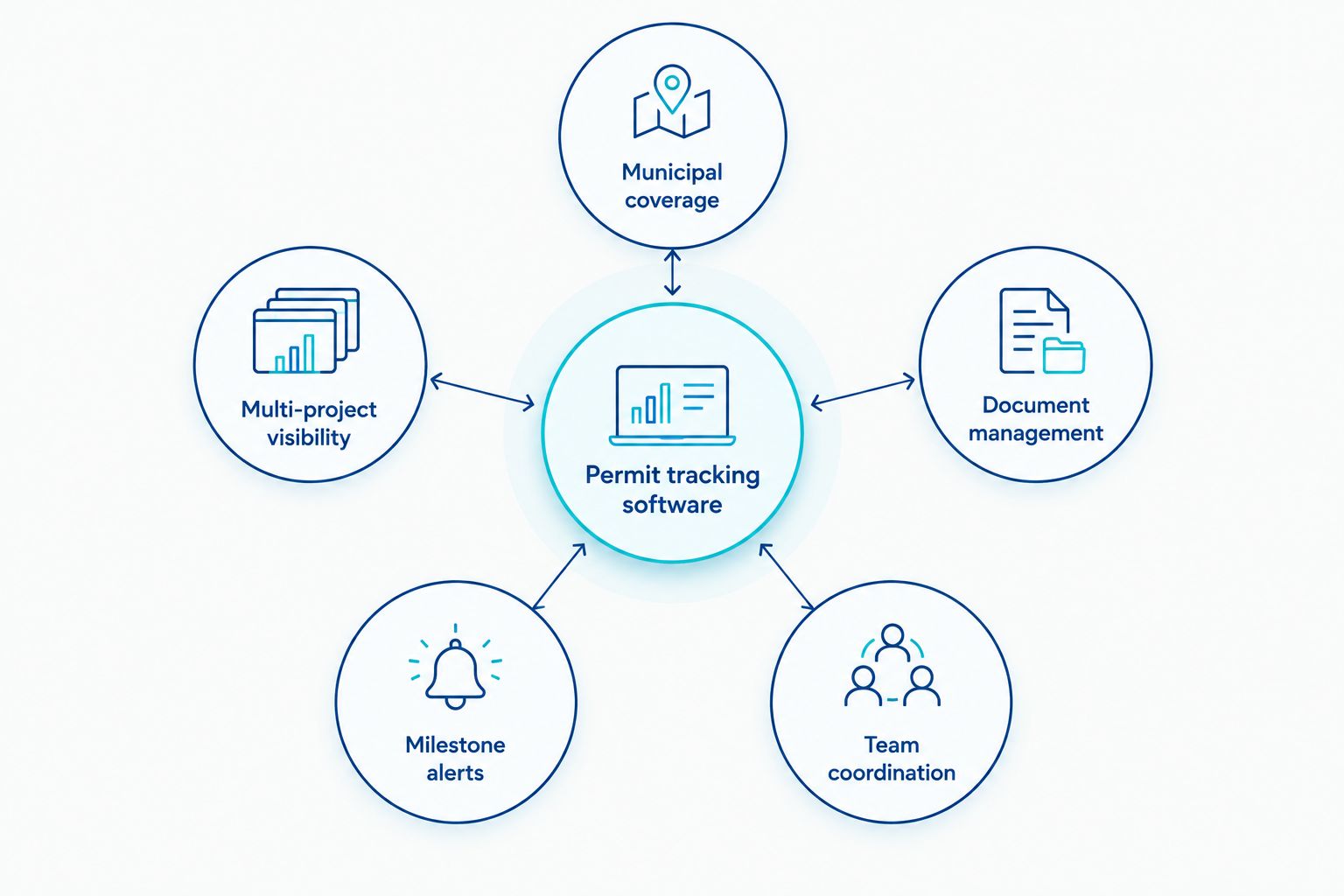
Six criteria separate tools that genuinely help from tools that just add a login:
- Municipal coverage — does the platform interface with, or pull status from, the actual portals New Jersey towns use
- Multi-project visibility — can you see permit status across a portfolio, not just one address at a time
- Document management — does it store plan sets, resubmittals, and RFIs in one place tied to the permit record
- Milestone alerts — does it flag inspection windows, escrow deadlines, and permit expiration dates before they lapse
- Team coordination — can architects, engineers, contractors, and ownership see the same status without separate email threads
- Portfolio reporting — can you pull a status summary for a lender or investor without manually compiling it
Construction permit tracking software at a glance
| Software | Best For | Standout Feature | Key Limitation |
|---|---|---|---|
| Procore | GC teams already running full project management | Permit and document tracking inside a unified project workspace | Permitting is a module inside a broader suite, not a dedicated tool |
| PermitFlow | Developers filing across multiple jurisdictions | Centralized status tracking across separate municipal portals | Built for filing and expediting, not full construction management |
| Accela Civic Platform | Tracking status where the municipality runs Accela | Direct visibility into the same system many local governments use | Portal quality and features vary by each municipality's own build |
| OpenGov Permitting & Licensing | Developers in towns running OpenGov's citizen portal | Online application and inspection scheduling visible to applicants | No cross-jurisdiction dashboard for portfolios spanning several towns |
| Buildertrend | Residential builders coordinating client-facing milestones | Client portal tied directly to permit and inspection milestones | Scaled for single-family and small residential, not multifamily |
| Bluebeam Revu | Teams managing markups during permit review cycles | Version control and markup tools for resubmitted plan sets | Manages documents, not permit status itself |
1. Procore: best construction permit tracking software for general contractors already on the platform
Procore is a construction project management platform that also tracks permits, inspections, and related documents inside the same workspace used for scheduling, budgets, and submittals. If your team already runs projects through it, permit tracking becomes one more module rather than a separate login.
Procore pros:
- Keeps permit status next to the schedule, budget, and RFI log instead of in a separate system
- Document storage ties plan revisions directly to the permit record
- Useful for teams managing several active job sites at once
Procore cons:
- Permit tracking is secondary to the broader suite, so it's not built specifically around municipal review workflows
- Onboarding a full project management platform just for permit tracking is overkill for a single project
- Doesn't interface directly with most New Jersey municipal citizen portals
Best for: general contractors and developers already running full projects through Procore.
Verdict: Buy if you're already on the platform. Skip it if permit tracking is your only need — that's a lot of software for one function.
2. PermitFlow: best construction permit tracking software for multi-jurisdiction filing
PermitFlow is built specifically around permit filing and expediting, with status tracking designed to work across more than one municipal jurisdiction at once. That's the exact problem a developer running projects in three or four New Jersey towns actually has: four different portals, four different timelines, one dashboard.
PermitFlow pros:
- Designed around the filing and expediting workflow, not bolted onto a broader construction suite
- Centralized view across multiple jurisdictions rather than one town at a time
- Reduces the manual work of checking separate municipal portals individually
PermitFlow cons:
- Not a full construction project management tool — schedules, budgets, and subcontractor coordination live elsewhere
- Coverage still depends on the municipality making status data available in some form
- Best value shows up on portfolios with multiple active jurisdictions, less so on a single project
Best for: developers and contractors filing and tracking permits across multiple New Jersey municipalities.
Verdict: Buy if your projects span more than one town. Hold off if you're managing one site in one jurisdiction.
3. Accela Civic Platform: best for municipalities that already run it
Accela Civic Platform is government-side software — many local governments across the country, including a number in New Jersey, use it to process permit applications and expose a citizen-facing status portal. For a developer, the value is in checking whether your specific municipality's implementation gives you real visibility.
Accela pros:
- Direct line into the same system the municipality itself uses to process the application
- No separate account needed beyond what the town already requires
- Widely deployed, so status portals are familiar across several jurisdictions
Accela cons:
- Portal quality and feature depth vary significantly by each municipality's own configuration
- No portfolio-level view across towns that use different systems
- Limited document collaboration compared to dedicated construction platforms
Best for: confirming status in a municipality that has publicly deployed Accela's citizen portal.
Verdict: Hold until you confirm your specific town actually runs it — check the municipal website before assuming coverage.
4. OpenGov Permitting & Licensing: best for towns running OpenGov's citizen portal
OpenGov Permitting & Licensing is another government-side platform, used by a number of municipalities to manage applications, fees, and inspection scheduling online. Like Accela, its usefulness to a developer depends entirely on whether the relevant town has adopted it.
OpenGov pros:
- Online application submission and inspection scheduling in one place
- Applicant-facing status visibility without a phone call to the permit office
- Familiar interface across municipalities that use the same base platform
OpenGov cons:
- Read and apply access only — no cross-town dashboard for a multi-jurisdiction portfolio
- Feature set is set by the municipality's configuration, not customizable by the applicant
- Doesn't integrate with private project management or document tools
Best for: developers whose specific municipality has adopted OpenGov's citizen portal.
Verdict: Hold until adoption is confirmed for your jurisdiction.
5. Buildertrend: best for residential builders coordinating client milestones
Buildertrend is a residential construction management platform that ties permit and inspection milestones to a client-facing schedule. It's a strong fit for single-family and small residential work where the homeowner wants visibility into the same timeline the builder is tracking.
Buildertrend pros:
- Client portal shows permit and inspection milestones alongside the build schedule
- Built with residential workflows in mind, from selections to change orders
- Useful for small builders managing several homes at once
Buildertrend cons:
- Not scaled for multifamily, mixed-use, or larger redevelopment portfolios
- Permit tracking is milestone-level, not detailed status-by-jurisdiction
- Less useful once a project moves past single-family scope
Best for: residential builders managing permit milestones alongside client communication.
Verdict: Buy for single-family work. Skip for multifamily or mixed-use projects — it's the wrong tool for that scale.
6. Bluebeam Revu: best for managing plan markups during permit review cycles
Bluebeam Revu isn't a permit status tracker — it's a document markup and version-control tool, and it earns a spot here because permit review cycles generate constant resubmittals, redlines, and revised plan sets that need to stay organized. Pairing it with an actual tracking tool covers both halves of the problem.
Bluebeam pros:
- Strong markup and version-control tools for construction documents
- Keeps resubmittal history organized across review rounds
- Works alongside any of the tracking tools above rather than competing with them
Bluebeam cons:
- Does not track permit status itself — it's a documents tool, not a tracker
- No municipal portal integration
- Adds a second subscription on top of whatever tracking tool you choose
Best for: teams managing plan revisions and resubmittals through multiple review rounds.
Verdict: Buy as a companion tool, not a standalone permit tracker.
How we ranked these
The order above follows the six criteria directly: coverage of actual New Jersey municipal systems, visibility across more than one project or town, document handling tied to the permit record, deadline alerts, team coordination, and reporting a developer could hand to a lender. Tools that only satisfy one or two of those criteria — Bluebeam on documents, Accela and OpenGov on municipal coverage alone — rank by that specific strength rather than as an all-purpose winner.
“Software can track a permit’s status; it can’t tell you whether the zoning ordinance allows the project in the first place.”
Get municipal-process coordination for your project
Zoning review and municipal coordination for New Jersey development projects.
Which construction permit tracking software should you choose?
If your projects run across more than one New Jersey municipality, PermitFlow is the practical default for 2026 — it's built around exactly that problem. If your team already runs full project management through Procore, add permit tracking there instead of introducing a second system for one function. Residential builders working single-family jobs should look at Buildertrend; anyone managing multifamily or mixed-use work will outgrow it fast. Before relying on Accela or OpenGov for status visibility, confirm your specific municipality actually runs that portal — coverage isn't universal, and a tool with zero coverage in your town is worth nothing.
None of these platforms confirm zoning compliance, evaluate variance requirements, or coordinate with a municipal board on your behalf. Nieves Development Consulting LLC does not provide legal, engineering, architectural, planning, or surveying services — the tools above are third-party software, not endorsements, and using any of them doesn't change what a zoning ordinance requires or guarantee municipal approval.
FAQ
What is the best construction permit tracking software in 2026?
PermitFlow is the strongest choice for developers tracking permits across more than one New Jersey municipality in 2026. Procore fits teams that already manage full projects through it and want permit tracking as an added module rather than a separate tool.
Is Procore good for permit tracking?
Procore tracks permits and documents inside its broader project management suite, which works well if you’re already running projects through it. It’s not built specifically around municipal permitting workflows, so teams with no other Procore use may find it excessive for permit tracking alone.
Does Accela work for tracking New Jersey permits?
Accela Civic Platform only helps if your specific municipality has deployed it as their citizen-facing permit portal. Coverage and feature depth vary by each town’s own implementation, so confirm adoption before relying on it.
Can permit tracking software replace zoning review?
No. Permit tracking software shows the status of an application already in a municipal queue; it doesn’t evaluate whether the zoning ordinance permits the use or whether a variance is required. That review happens before filing, not inside a tracking dashboard.
Is Buildertrend suited to multifamily development?
Buildertrend is built for single-family and small residential projects, not multifamily or mixed-use portfolios. Developers working at that larger scale generally need a platform with portfolio-level visibility instead.
What’s the difference between PermitFlow and a municipal portal like OpenGov?
OpenGov Permitting & Licensing is the municipality’s own system for processing an application, while PermitFlow is a third-party tool that centralizes status tracking across several municipal portals at once. Developers working in one town might rely on the municipal portal alone; those working across multiple towns benefit from PermitFlow’s consolidated view.
Do these tools track permit expiration dates?
Platforms like Procore, PermitFlow, and Buildertrend include milestone or deadline alerts that can flag approaching permit expirations, provided the data is entered or synced correctly. Government-side portals like Accela and OpenGov typically show the expiration date but don’t always send proactive alerts.
One last thing
The biggest gap in every platform on this list is the same one: none of them tell you what happens before a permit application exists. A tracker can show a completeness review clock counting down from a municipality's statutory window, but it can't tell you the application was going to be deficient in the first place. That gap is where a development roadmap and municipal-process coordination earn their place ahead of the software, not alongside it.
Related guides
YOUR NEXT STEP
Planning a project in New Jersey?
Discuss your property, project goals and municipal-process questions with Nieves Development Consulting.
Explore our consulting services · See a Paterson project example